
blog/use-cases·Sep 7, 2026·5 min·by the eroq team
AI pre-visualization for indie filmmakers — an animatic workflow
Previz a short film on eroq with Cinema as an animatic, camera moves, lenses, seeds for repeatable takes and exports into Premiere or After Effects.
Previz exists to answer questions before the shoot day, when answers are still cheap. Does the blocking read from that angle? Does the cut work if the reveal comes one beat later? Is the night exterior worth the truck? A storyboard answers half of that; an animatic answers the rest, because timing is the thing a still cannot show. This is how we build one on eroq in an afternoon, with the credit arithmetic at the end. The overview is on the short films use case.
Cinema is an animatic tool
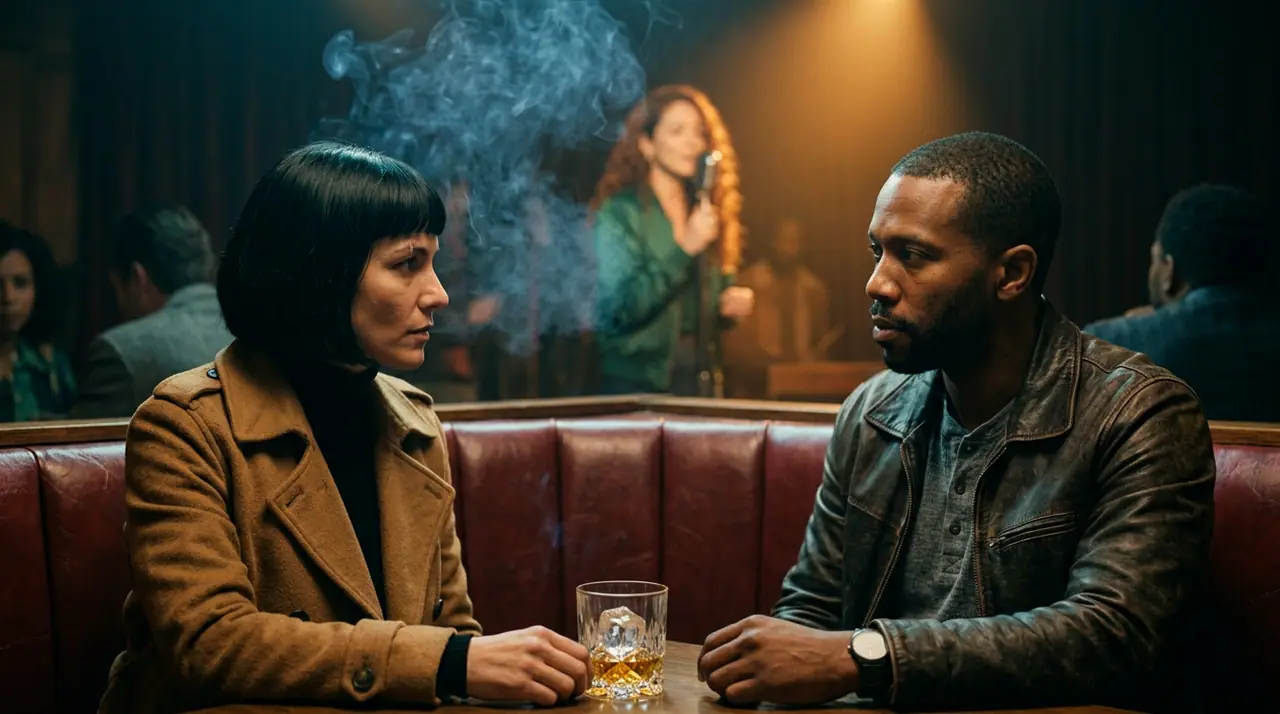
Open Cinema and start a film. Its Story tab is the storyboard: scenes (a place and a time) hold numbered shots, each with its own action, dialogue and camera move, each rendering on its own, up to 24 shots a film. View it as a list or as storyboard cards, re-render or reorder any shot, and shoot 1 to 4 takes so you can keep the one that reads best. The Edit tab plays the whole sequence in order, which is the only honest way to judge whether your cut breathes. Films stay on your Cinema shelf, so the animatic survives the week.
Twelve shots is roughly a scene-and-a-half of a short film, which is the right unit even though a film holds twice that. Previz the sequence you are unsure about, not the whole script.
Say the camera out loud
There are 24 camera moves to pick from for each scene — Static, Slow pan, Push-in, Tracking, Orbit, Handheld, Close-up, Wide, Pull-back, Dolly zoom, Crane up, Crane down, Whip pan, FPV drone, Aerial pull-back, POV, Snorricam, Bullet time, Slider, Roll, Dutch angle, Overhead, Crash zoom and Steadicam — and written directions inside the prompt are detected too, so "wide shot" or "dolly" in the text does the same job as the picker.
The rest of the grammar lives in the director's rack, in the Film tab of Cinema's side panel, which folds into every scene's prompt server-side: Film type, Era, Tempo, Camera, Lens, Aperture, Lighting and Palette. For previz the two that earn their keep are Lens and Aperture. Anamorphic at f/1.4 and clean sharp at f/11 produce two genuinely different films from the same blocking, and deciding that in previz is a decision your DP does not have to make at 6 a.m. The Camera setting matters for the same reason — "VHS camcorder" and "IMAX" are different movies.
Write each scene as one flowing paragraph naming subject, motion, camera, light and mood, 30 to 80 words. Here is a complete scene from a previz we ran for a night-exterior sequence:
A courier in a wet parka steps off a bus into an empty suburban street at 2 a.m., bus lights pulling away behind her, slow tracking shot from her left at hip height, sodium streetlamp overhead falling through drizzle, everything else in shadow, vintage anamorphic lens at f/1.4, tense tempo, film noir on 35mm film.
If a scene lands flat, Enhance rewrites your draft into a director-grade prompt and costs nothing, which makes it the cheapest note you will get all day.
Seeds, so you are comparing one variable
Previz is a comparison exercise, and comparisons need a control. The Seedance engines honor a reproducibility seed: same prompt, same seed, repeatable render. Lock the seed, change one word — "tracking" to "handheld", f/11 to f/1.4 — and the difference you see is the difference you made, not the lottery. A negative prompt is available on the engines that support one, which is how you keep a modern car out of a period street.
Seedance 2.5 also supports first and last frame interpolation, which is the closest thing to previzing an actual cut: give it where the shot starts and where it ends, and judge the move between them.
What an animatic costs
Twelve scenes at 5 seconds each, one take per scene:
- On Motion One, 145 credits per 5 seconds — 12 × 145 = 1,740 credits
- On Seedance 2.0 Fast, 195 credits per 5 seconds: 12 × 195 = 2,340 credits
- On Seedance 2.0, 320 credits per 5 seconds: 12 × 320 = 3,840 credits
Add a second take on the four shots you are least sure about and Seedance 2.0 Fast goes to 2,340 + 4 × 195 = 3,120 credits, about $31.20 at the entry pack rate of $10 for 1,000 credits. That is a full animatic for the price of two coffees and a croissant, and Creator ($49 for 6,000 credits) is 6,000 ÷ 3,120, about three of them a month.
Lengths are capped by the engine and by your plan — 10 seconds free, 15 on Hobby, 20 on Creator, 30 on Studio and above. Seedance 2.0 Fast runs 4 to 15 seconds, so previz a beat at 4 seconds for 156 credits when all you need is the timing of an entrance. Seedance 2.5 goes from 4 to 30 seconds on Creator and up, at 980 credits for 10 seconds, for the one long take you want to test properly. Failed renders refund themselves automatically.
Getting it into your edit
Every render is saved in your library with the full recipe, so re-rendering the one scene that bothers you next week is a Remix rather than an archaeology project. Cut the animatic against a scratch voice track in the Edit tab and export it as one MP4, or download the clips and drop them on your own timeline.
If you cut in Premiere Pro or After Effects, the eroq panel is a single extension for both — Premiere Pro 13 and up, After Effects 16 and up. You generate video, images and speech from the panel and the renders import straight into the open project, saved under ~/Documents/eroq. It is currently distributed unsigned, so it installs in developer mode.
When the sequence is stable and you want to re-shoot the whole board after a script change, the films API renders every scene of a storyboard in one call, which beats clicking twelve times at midnight.
FAQ
How close is previz to the final look?
Close enough to decide blocking, timing, lens and palette; not close enough to sign off on a grade. Treat the animatic as a conversation with your DP and your editor, not as a promise to your colorist.
Can I keep the same actor's face across scenes?
Use a Character — a persistent cast entry with a name, a persona, reference photos and a voice, @mentionable in any prompt. The same reference photos carry the same face across images and clips, which is what makes a twelve-scene board read as one sequence.
Which engine should I previz on?
Seedance 2.0 Fast when you are exploring and volume matters, because 195 credits per 5-second shot lets you be wrong a lot. Seedance 2.0 or Seedance 2.5 for the two or three shots you will actually show a producer, since Seedance 2.0 renders up to 1080p and both honor a seed.
Got a sequence you are not sure about? Open Cinema, board the sequence, and watch it in order before you book anything.
 Cinema
Make it in eroq
Cut it in Cinema
Everything above happens in the studio: same engines, same settings, rendered on your click.
Prompts from this article
40 free credits · no card · private mode on every account