
blog/models·Sep 5, 2026·6 min·by the eroq team
Kling 3.0 on eroq (formerly Kling 2.5 Turbo): fluid motion, faces and sound
Kling 3.0 inside eroq, the engine that replaced Kling 2.5 Turbo: 3 to 15 second clips at 720p with optional sound, reference pictures for your Characters, credits, Hobby plan access, and the prompts that suit it.
Ask people who render a lot of video which engine they reach for when there is a person in the frame, and Kling comes up. On eroq, Kling 3.0 took the place of Kling 2.5 Turbo (old links and API ids land on it) and is the roster's engine for fluid motion and faces: 3 to 15 seconds at 720p, with sound, 270 credits for 5 seconds and 540 for 10. It is unlocked on the Hobby plan and up, Kling 3.0 Pro on Creator, and both are moderated upstream by their provider. Here is what that means in practice and how to write for it.
The numbers
- Length: 3 to 15 seconds, any whole second.
- Resolution: 720p.
- Sound: optional. Native sound is on by default and priced in; switch the Soundtrack off for a cheaper silent clip.
- Price: 54 credits / second with sound: 270 credits for 5 s, 540 for 10 s. Roughly $2.70 and $5.40 at the entry pack, where a credit is about a cent.
- Formats: 16:9, 9:16, 1:1.
- Modes: text-to-video, image-to-video from a first frame, a last frame or both, and up to four reference pictures.
- Plan: Hobby ($15, 1,800 credits) and up; Kling 3.0 Pro from Creator ($49).
- Content: moderated upstream by the provider — a refused prompt returns
content_blockedand costs nothing. When the provider refuses, Motion One, eroq's own uncensored engine on every account, is the alternative.
A Hobby month of 1,800 credits is 6 five-second Kling 3.0 clips with sound. Failed renders refund automatically and unused credits roll over, so the month's budget is the month's budget.
What "fluid motion and faces" buys you
Every engine can put a person on screen. The differences show up in the next two seconds: whether the walk has weight, whether the hair follows the turn, whether the face holds its identity as it changes expression. Kling's reputation rests on those two seconds.
That points to where it pays off:
- Performance shots. A turn, a laugh, a glance at the camera, someone settling into a chair.
- Bodies in continuous motion. Walking, dancing, running — one uninterrupted action.
- Fabric, hair, water in contact with a person. Secondary motion that follows a primary one.
- Close-ups. A face at close range is where identity either holds or slips.
Where it isn't the obvious pick: clips longer than 15 seconds (Seedance 2.5 and Wan 3.0 go to 30), 1080p deliverables (Kling tops out at 720p), and shots that are mostly about physics and hard light, where Hailuo has its own reputation. The side-by-side is on /compare/kling-vs-hailuo.
Casting with image-to-video
The strongest way to use Kling is to give it a face to keep.
eroq's Characters are a persistent cast: a name, a persona, an identity sheet, a voice. The same face carries across images and clips. In the Video tool you @mention a Character in the prompt, and Kling reads their pictures as references (up to four in a shot). Or set a picture as the First frame for image-to-video: the clip opens on it and the prompt describes what happens next.
Three things to know:
- A first frame sets the composition. In image-to-video the source image decides the framing; with a start frame set, the engine animates it and your cast rides as text.
- Describe motion, not appearance. The photo already says what she looks like. Spend the words on what she does and where the camera goes.
- Animate from the Library. Any image you have rendered in the Image tool has an Animate action that sends it to the Video tool as the source. Render the still with the Character's references, get the framing right, then animate.
A product works the same way: save it as an Element, @mention it, and Kling animates the object with the same reference discipline.
Prompts that suit Kling
Kling wants a subject, one continuous action and a camera that follows. A prompt with three cuts in it is asking for an edit, and a single-shot engine will smear the cuts together.
- One subject, named first. "A dancer in a loose white shirt…" — the engine anchors on the first noun.
- One action with a beginning and an end. "Spins once… settles into a slow bow." Give the 5 seconds a shape.
- A camera move that follows the action. Tracking, Orbit, Push-in and Close-up are the moves that suit people; Static works when the performance is the point. Pick one of the 24 camera moves from the Syntax menu or write it in, since written directions like "tracking shot" are detected and highlighted.
- Light and mood last. One sentence. Palette and Lighting from Settings, plus any lens or aperture phrase you insert, are folded into the prompt server-side, so the prose can stay about the person.
Negative prompt and seed fields show up in Settings on the engines that support them; where you see one, a negative prompt is the place for "blurry, extra fingers, warped hands" rather than the main prompt.
If the draft reads like a caption, Enhance rewrites it into a director-grade prompt for free. It is a good way to see the register the engine prefers.
Example prompts
Text-to-video, 5 seconds, 16:9:
A dancer in a loose white shirt spins once across a sunlit rehearsal studio, hair and fabric trailing a beat behind her, dust glowing in the shafts of window light as she settles into a slow bow toward the mirror. Tracking shot at chest height, soft portrait lens, warm film palette, calm and weightless.
With a Character, 5 seconds, 9:16:
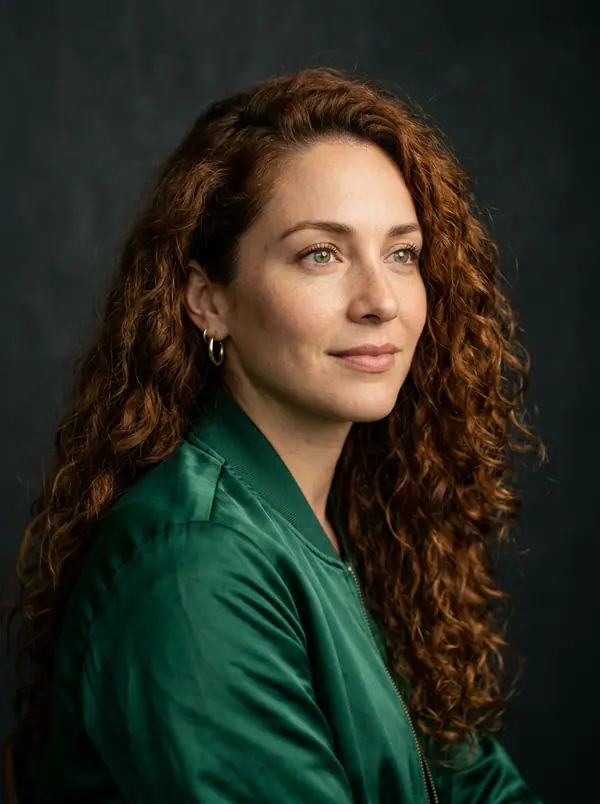
@Mara looks up from her coffee, breaks into a slow smile and pushes her hair behind one ear as the café door opens and a gust moves the curtain beside her. Close-up, static camera, window light from the left, emerald palette, romantic and unhurried.
Settings for the second: Lighting Window light, Palette Emerald, sound on; @Mara in the prompt brings the Character in as a reference, and "close-up" sets the move.
Kling against the rest of the roster
The honest summary: Kling for people, 3 to 15 seconds; Seedance 2.5 when the shot is longer or needs a seed (/compare/seedance-vs-kling); Hailuo for physics and hard light; Veo 3.1 for 1080p with sound; Motion One for anything a provider refuses, on any account. Prices and plan gates for all of them are on /pricing, and the engine page at /models/kling-3 keeps the current spec.
FAQ
How much does a Kling 3.0 clip cost on eroq?
270 credits for 5 seconds, 540 for 10 seconds with sound — about $2.70 and $5.40 at the entry pack. A silent clip costs less. Failed renders are refunded automatically.
Which plan unlocks Kling 3.0?
Hobby ($15 a month, 1,800 credits) and every plan above it; Kling 3.0 Pro needs Creator. Kling 2.5 Turbo was retired and now renders on Kling 3.0. Free accounts get Motion One, Motion Pro, Seedance 2.0 Mini and Veo 3.1 Lite.
Can Kling animate my own character's face?
Yes. Create a Character, @mention it in the prompt, and Kling reads its pictures as references, so the same face carries across images and clips. You can also set a still of them as the first frame.
Open the Video tool, pick Kling 3.0 and cast a Character — /studio/video.
 Characters
Make it in eroq
Cast your own in Characters
Everything above happens in the studio: same engines, same settings, rendered on your click.
Prompts from this article
40 free credits · no card · private mode on every account