
blog/trends·Oct 1, 2026·6 min·by the eroq team
How to make the Save Yourself AI trend
A storm, a cliff, a hand on your wrist, and the rescuer has your face. Where the Save Yourself AI trend comes from and how to make it with your character.
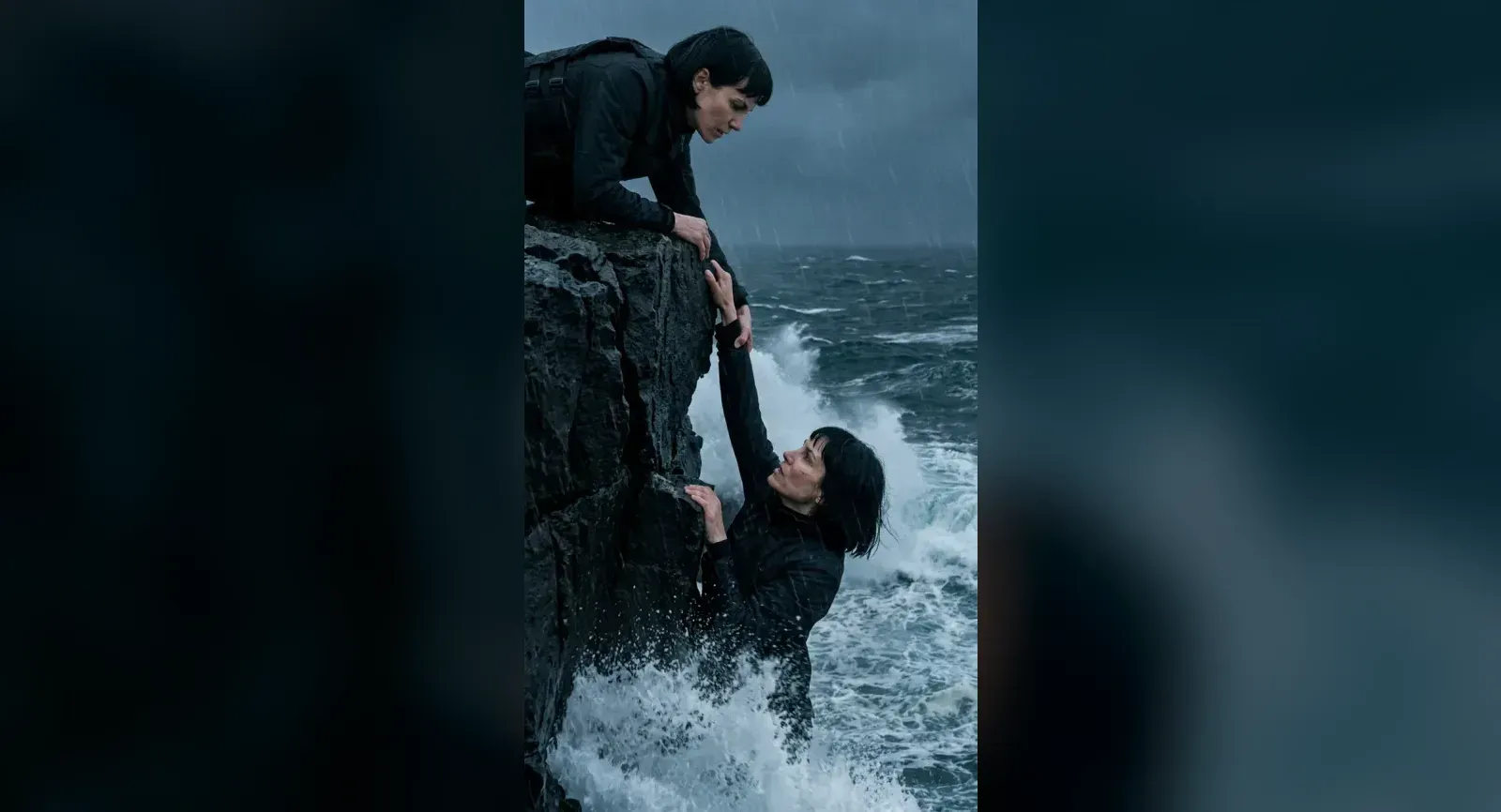
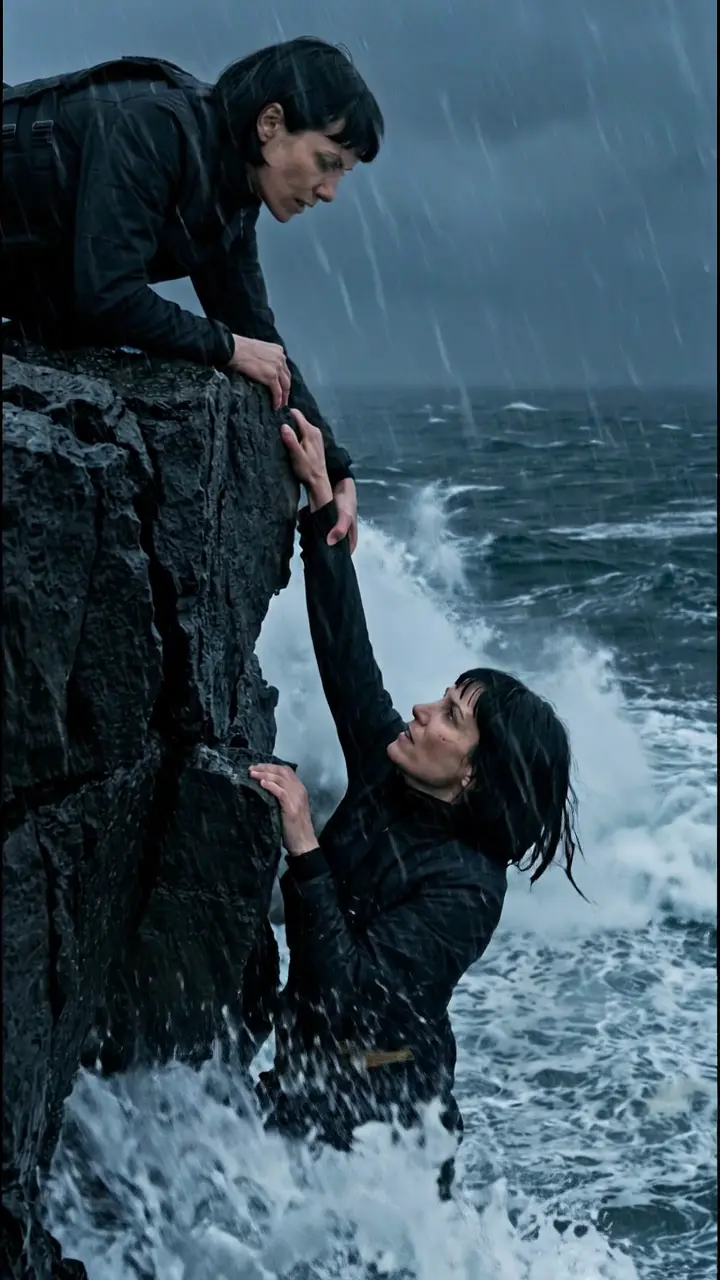 8s
8sMake it in eroq
Save yourself
eroq · reference clip
8 s clip · 2 characters · 240 credits on Replace Pro
The Save Yourself trend is the clip filling feeds since September 2026: someone slips off a storm-lashed sea cliff and hangs by one hand above the waves, a hand grabs their wrist from above, and the rescuer has the same face. People make it with a selfie, and lately with the characters of films and series everyone knows. This guide covers where the format comes from, why it hits so hard, and how to make your own version in eroq with a character you made, using the ready-made Save yourself template.
The original: a one-photo preset, then a wave in Egypt
The format took off as a preset in a mobile photo app on September 9, 2026: upload one clear photo of your face and it generates both versions of you, the one hanging from a wet basalt cliff and the one who pulls them up, in a short cinematic sequence. In late September 2026 it broke out on Facebook and TikTok in Egypt and across the Arab world, where it goes by its Arabic name, «من ينقذك», "who saves you?". Al Arabiya covered the wave on September 28.
What changed in Egypt is the cast. Instead of their own faces, people started putting well-known characters from Egyptian comedies, dramas and films on the cliff, giving familiar on-screen relationships a different ending. Audiences already know those characters and what they mean to each other, so a few seconds are enough to tell a whole story.
Why this clip works so well as a trend
- A twist in one frame. Two people, one face: the moment you see the rescuer, you get it. No caption needed.
- A small, sincere idea. Getting yourself out of trouble reads as motivation, as a joke or as a tribute, depending on who is on the cliff.
- Big weather, simple staging. Black rock, white spray, rain and fog look dramatic in one frame, and there are only two people and one gesture to stage.
- Any cast. Yourself twice, two friends, two rivals from the same show: the structure stays and the meaning changes, which is why it travelled so fast.
How the trend versions are made
The viral versions are generated from one photo: the app invents both people and the whole cliff around a face it has seen once, and every run rolls a new scene. eroq's template starts from a finished one instead. We made our own 8-second version of the trend: Mara, one of our fictional characters, hangs from a storm-lashed basalt cliff as a wave breaks over her, Mara in a black tactical jacket grips her wrist and hauls her onto the rock, and the scene fades into the fog. Replace swaps both roles for your cast and keeps the rest of the shot: the wave, the grab, the pull and the camera stay exactly where they are.
Make it in eroq with the Save yourself template
- Open the template. Click Use the template on the card at the top of this page, or open it directly. It is a clip we shot, not a viral original, so it does not sit among the Trending templates of the Replace tab. The 8-second vertical clip loads from eroq: nothing to download, nothing to trim.
- Cast both roles. The composer shows two slots, Hanging and Rescuer. Put the same character in both for the trend's twist, or two different characters for a rescue between two people; the instruction writes itself as you pick. No character yet? Create one from a few photos and a description; it opens in a new tab, so the template stays loaded.
- Check the engine. The template runs on eroq Replace Pro, which reads your cast's identity sheets, so the faces really match, at 240 credits for the whole clip.
- Click Replace. The edit takes a few minutes and lands in Creations. The slip, the wave, the grab and the pull come from our clip, frame for frame.
- Post it. Like the template clip, the edit comes back vertical and silent, ready for TikTok, Reels or Shorts and whatever sound you add there.
Prefer to write your own version from scratch? Video generates a new shot from a prompt: describe the cliff, @mention your character in both roles and ask for the rescue.
Getting a good result
- Give each character an identity sheet. Replace Pro casts from it; a character with photos and no sheet gets one made when you click Replace (10 credits), and a character with no photo has no face to put in the clip. Consistent characters in AI video explains how sheets hold a face.
- Tell the two roles apart. In our clip the rescuer wears a black tactical jacket and a harness, so the two read apart at a glance even with the same face. When you cast one character twice, say in the instruction what each role wears: the text stays editable after the template writes it.
- Two characters tell another story. A partner, a rival or a stranger as the rescuer turns the twist into a rescue between two people. Both slots follow the same motion either way.
- Shorter is cheaper. The trim bar under the clip keeps only part of the eight seconds, and the price on the button follows the length. The clip ends on a fade into the fog: trim the last two seconds to end on the rescue.
What it costs
| Engine | The whole clip | Notes |
|---|---|---|
| eroq Replace Pro | 240 credits | Add 10 credits once per character that still needs an identity sheet |
You pay for the seconds of clip, not the number of faces: one character twice costs the same as two. Trimmed to 6 seconds to end on the rescue, the edit costs 180 credits on Replace Pro. It runs on every plan, but the 40 free credits a new account starts with don't cover a render: the credits come from a pack or a plan. An edit that fails is refunded.
Who you can put on the cliff
The most shared versions star famous screen characters, which means real actors' faces; our clip stars Mara, twice. On eroq you cast characters you made: an original character, yourself, or a friend who agreed to it. The usage policy asks for characters who are 18 or older and rules out real, identifiable people without their consent, actors in their famous roles included. A storm, a cliff and your own cast are all the trend needs.
More trends, same idea
Save yourself is one of our own reference clips, like the shadowboxing trend; the Trending templates row of Replace holds the viral originals, such as Hotel Lobby. The idea carries to any clip with two clear roles: bring your clip into Replace, @mention who plays each part, keep the shot. Every format is collected under Trends, and the TikTok and Reels pipeline covers vertical formats and captions.
FAQ
What is the Save Yourself AI trend?
A short vertical format: someone hangs from a storm-lashed sea cliff, a hand grabs their wrist from above, and the rescuer turns out to have the same face, or the face of someone the audience knows.
What does «من ينقذك» mean?
"Who saves you?" It is the Arabic name of the trend in Egypt and across the Arab world, where it broke out on Facebook and TikTok in late September 2026.
Can the rescuer be a different character?
Yes. The template has two slots, Hanging and Rescuer: fill them with two different characters, or with the same one for the trend's twist. Replace Pro casts both from their identity sheets.
Can I use my own face?
Yes. Create a character from your own photos (its identity sheet is drawn from them) and cast it in both slots. Real, identifiable people need their consent, so cast yourself or someone who said yes.
How long is the clip?
Eight seconds in vertical 9:16: the hang, the wave, the grab, the pull and a fade into the fog. The trim bar keeps less if you want, and the price follows.
How much does the Save yourself template cost?
The template runs on eroq Replace Pro, open on every plan: the whole 8-second clip costs 240 credits, whether you cast one character or two. Trim it in the composer to pay less.
8sMake it in eroq
Save yourself
eroq · reference clip
8 s clip · 2 characters · 240 credits on Replace Pro