
blog/trends·Oct 9, 2026·6 min·by the eroq team
How to make the Bulin 47 freestyle AI trend
A fan with a speaker, a rapper at a club door, a verse made up on the spot. Where the Bulin 47 trend comes from and how to make yours with your own character.
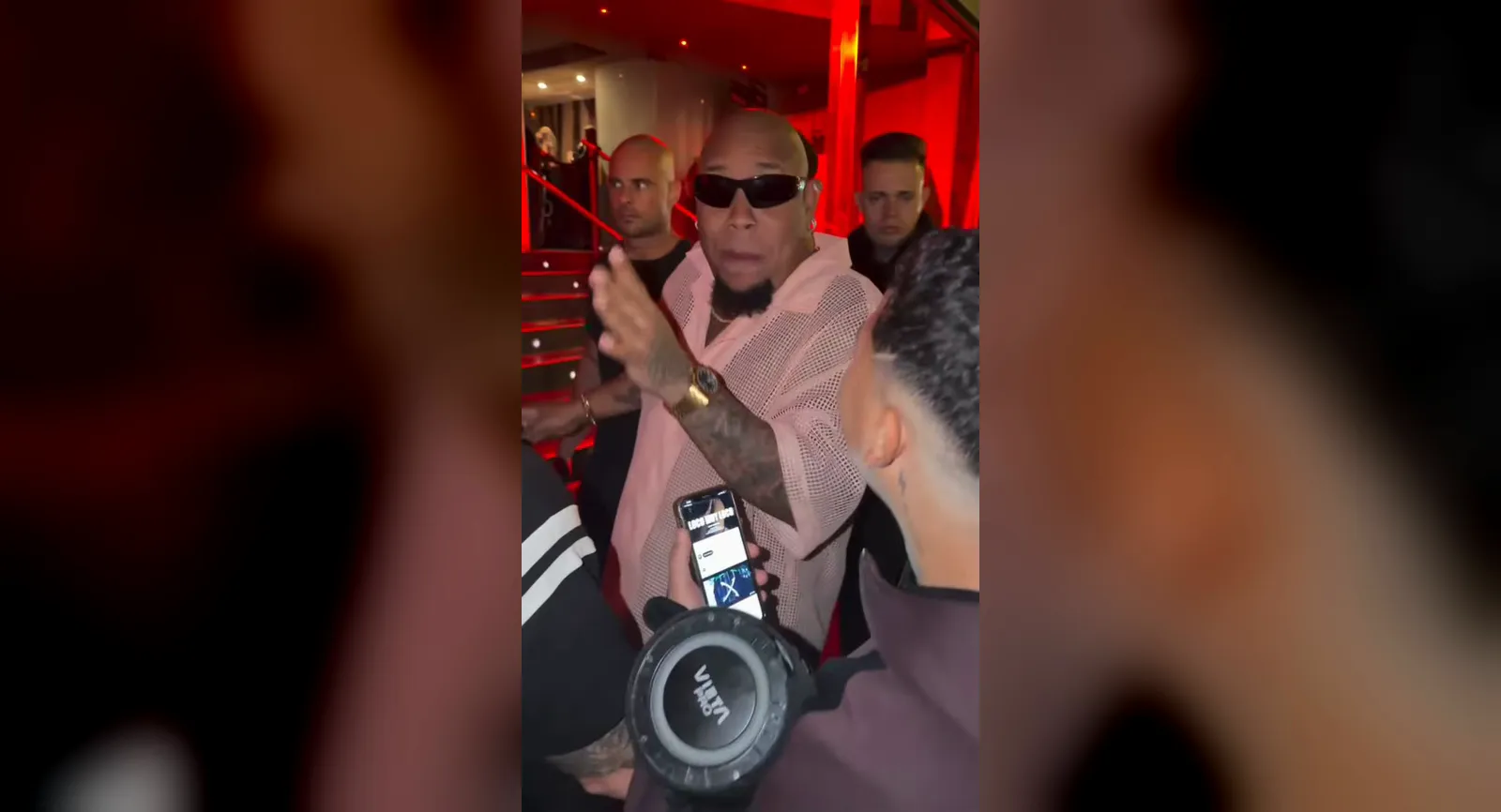
 14s
14sMake it in eroq
Street freestyle
Bulin 47 & Kevin Wai · freestyle
14 s clip · 1 character · 300 credits on Replace Pro
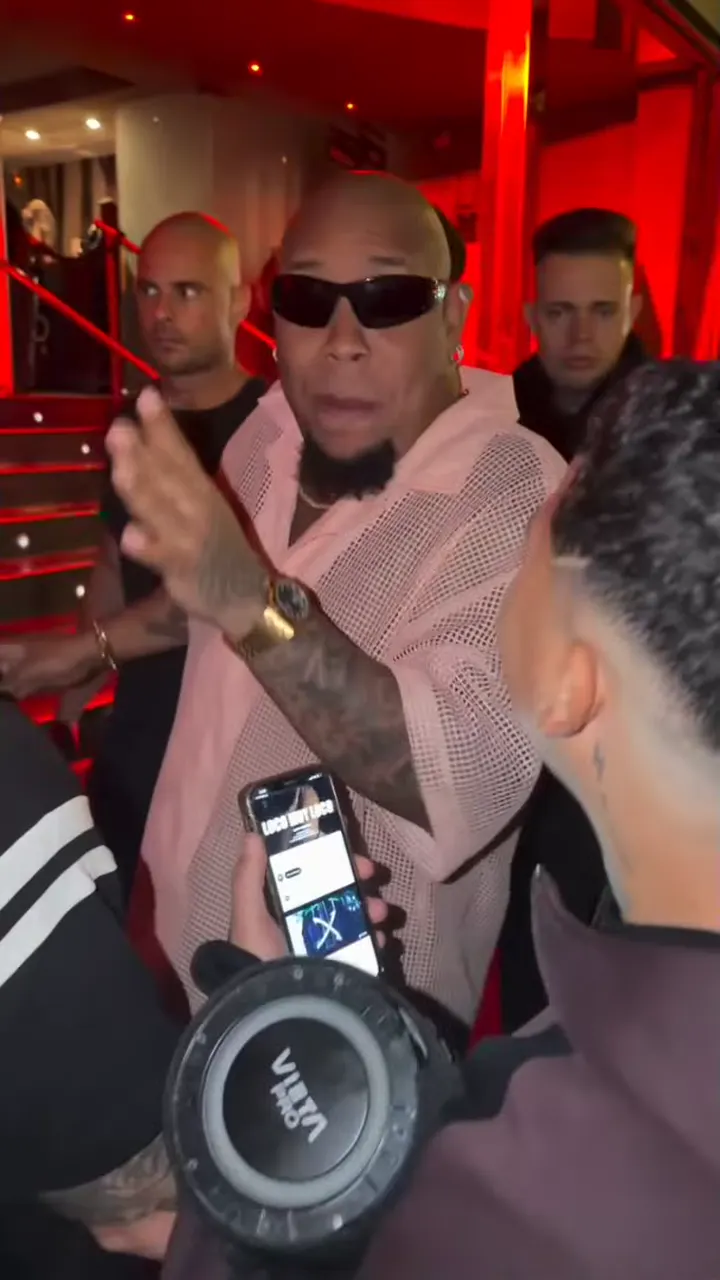
The Bulin 47 trend is the clip everyone is remaking in October 2026: a red-lit club entrance at night, a fan holding a speaker, and a rapper in black sunglasses answering him with a verse made up on the spot. In the original, the rapper is Bulin 47. In the versions flooding TikTok, Reels and Shorts, he is anyone: Messi, Cristiano Ronaldo, Mbappé, Haaland, cartoon heroes, somebody's uncle. This guide covers where the clip comes from, why it remixes so well, and how to make your own version in eroq with a character you made, using the ready-made Street freestyle template.
The original: Bulin 47 and Kevin Wai
Bulin 47 is a Dominican dembow artist. As he was about to walk into a restaurant, a fan, Kevin Wai, stopped him with a speaker playing a dembow beat and started to improvise. Bulin 47 answered with his own rhymes, filmed on a phone in the crowd, and one line stuck: "No ando en película ni ando en paquete, ya todos me conocen, soy Bulin 47". The video passed 50 million views across social networks, and the moment became a real song: Bulin 47 and Kevin Wai released "Dame Hombro" with an official video.
The AI versions came right after. They keep the moves and the audio of the original recording and put another face on the rapper, footballers first, then politicians, singers and anyone a feed could think of.
Why this clip works so well as a trend
- A real moment. A phone in the crowd, a fan, a verse nobody planned: it reads as true, whoever raps it.
- One face to swap. The rapper faces the camera the whole time, and the fan stays in the foreground. Change the rapper and the scene still makes sense.
- The line. "Soy Bulin 47" is the punchline. Hearing it come out of someone else's mouth is the whole joke.
- Short enough to loop. The verse fits in fourteen seconds, from the first bars to "Bulin 47".
How the trend versions are made
Most versions you see map a photo onto the rapper with a face filter. eroq keeps the real performance, every move, gesture and word, and replaces the rapper in it. That is what Replace is for: change one thing in a clip and keep the rest of the shot.
Make it in eroq with the Street freestyle template
- Open the template. In the studio, go to Video, then the Replace tab, and click Street freestyle, the vertical card with the Top trend badge under Trending templates, or open it directly. It also leads the vertical cards of Trending now on your studio home. The 14-second vertical clip loads from eroq, already cut to the verse: nothing to download. A template runs on Replace Pro, which takes ten seconds at most, so trim the range to the ten you want.
- Cast your rapper. The composer shows one slot, Rapper. Pick a character and the instruction writes itself: your character replaces the rapper in black sunglasses and the pink mesh shirt, while the fan with the speaker, the crowd and the red light stay. No character yet? Create one from a few photos and a description; it opens in a new tab, so the template stays loaded.
- Check the engine. The template runs on eroq Replace Pro, which reads your character's identity sheet, so the face really matches, at 30 credits per second of clip.
- Click Replace. The edit takes a few minutes and lands in Creations. The moves, the gestures and the lip-sync come from the original performance.
- Keep the verse. eroq Replace Pro returns the edit with the original audio under it, ready to post.
Getting a good result
- Give your character an identity sheet. Replace Pro casts from it; a character with photos and no sheet gets one made when you click Replace (10 credits), and a character with no photo has no face to put in the clip. Consistent characters in AI video explains how sheets hold a face.
- Say what they wear. Your character keeps their own face, hair and outfit by default. For the black sunglasses or the pink mesh shirt, add it to the instruction: the text stays editable after the template writes it.
- Keep the motion sentence. The instruction asks for the same verse with the exact same moves, gestures and lip-sync. If you edit the text, keep that part: it is what holds the performance.
- Shorter is cheaper. The trim bar under the clip keeps only part of the fourteen seconds, and the price on the button follows the length.
What it costs
| Engine | The whole clip | Notes |
|---|---|---|
| eroq Replace Pro | 300 credits for ten seconds | Takes ten seconds at most, so trim the clip first. Add 10 credits once if your character still needs an identity sheet |
Trimmed to 8 seconds, the same edit costs 240 credits on Replace Pro. It runs on every plan, but the 40 free credits a new account starts with don't cover a render: the credits come from a pack or a plan. An edit that fails is refunded.
Who can take the mic
The most shared versions star famous faces. On eroq you cast characters you made: an original character, yourself, or a friend who agreed to it. The usage policy asks for characters who are 18 or older and rules out real, identifiable people without their consent. The clip and the verse belong to Bulin 47 and Kevin Wai, so post your version the way the trend does: as a fan remix that credits the original.
More trends, same idea
Street freestyle leads the vertical cards of Trending templates in Replace, under Hotel Lobby, Carpool singalong and Storm dance. The idea carries to any clip with a clear performer: bring your clip into Replace, @mention your character, keep the shot. Every format is collected under Trends, and the TikTok and Reels pipeline covers formats and captions.
FAQ
What is the Bulin 47 AI trend?
A remix of a viral phone video where a fan, Kevin Wai, stops the Dominican rapper Bulin 47 at a club door with a speaker and they freestyle on the spot. The AI versions put someone else's face on the rapper and keep the moves and the audio.
What does Bulin 47 say in the freestyle?
The line everyone repeats is "No ando en película ni ando en paquete, ya todos me conocen, soy Bulin 47": roughly, "I'm not acting, I'm not faking it, everybody knows me, I'm Bulin 47".
Is there a song?
Yes. After the clip passed 50 million views, Bulin 47 and Kevin Wai released "Dame Hombro" with an official video.
Does the template use the original video?
Yes: fourteen seconds of the original phone video, the rapper's verse. Replace keeps the moves, the lip-sync and the camera, and swaps only the rapper for your character.
Can I use my own face?
Yes. Create a character from your own photos (its identity sheet is drawn from them) and cast it in the Rapper slot. Real, identifiable people need their consent, so cast yourself or someone who said yes.
Does the result keep the audio?
Yes. eroq Replace Pro returns the edit with the original audio under it.
How much does the Street freestyle template cost?
The template runs on eroq Replace Pro, open on every plan. It takes ten seconds of the clip at most: 300 credits for those ten. Trim it in the composer to pay less.
14sMake it in eroq
Street freestyle
Bulin 47 & Kevin Wai · freestyle
14 s clip · 1 character · 300 credits on Replace Pro